
Smart technology for hybrid working
 Written by admin
Essential technology for hybrid working
Technology can help to optimally organise new ways of collaborating. In recent years, many organisations have already moved ‘to the cloud’ with their office apps, and other systems are also available remotely. The smart technologies below help companies make even more of all the benefits that the new hybrid way of working has to offer.
1. Booking system
With a simple booking system, it’s easy to manage office attendance effectively. It allows people to reserve their favourite workspace, meeting room, or other facility in the physical office.
Although many employees want to spend more time working from home, they also want to be confident that they can do what they came to the office for. They also know exactly where to go and what they can do — meaning less downtime and higher productivity.
With data on (desired) attendance, organisations can respond to (future) wishes for office layout and steer behaviour accordingly.
Our favourite (of course): Why at work!
Hybrid working made many organizations to have less workspaces than employees, as per the definitions of hybrid working, employees work at the office, remote (e.g. customer) or from home. To prevent employees coming to the office to find that there is no parking nor workspace available can easily be prevented with a workspace reservation system!
2. Integration of collaboration tools

By integrating collaboration tools into one platform, you enable effective collaboration with whoever you want. In such a platform, you can easily set up a strong professional online network with people inside and outside your organisation. By smartly organising your people, communication, files, and tasks, you create clarity and overview across all your projects.
Popular choice: Driff!
3. Cameras and sensors
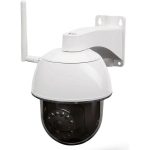
Cameras and sensors can be used to monitor the occupancy of office spaces and send alerts when there is overcrowding or unpleasant environmental conditions, such as temperatures that are too high, CO2 levels, or humidity percentages. They can also help improve the use of available space. Data from cameras and sensors provides a clear picture of how spaces are actually being used. Hot spots, bottlenecks, and ‘not spots’ — areas that are underutilised — can be identified, allowing the office to be adapted to actual needs.
Take a look at: Volantis comfort sensors
4. Artificial Intelligence (AI) and Machine Learning
With the right technology, you can also simplify the management and maintenance of your office building. Has a desk just been used? Your booking app or sensors can register this immediately, prevent it from being booked again, and generate an alert that it needs to be cleaned.
By collecting data on usage, it also becomes easier to predict when it will be busy, how space can be better utilised, and how to plan preventive maintenance — making operations more efficient. Think, for example, of checking only the office chairs that have been used frequently, rather than all of them annually.
Greater ‘connectedness’ has also led to a significant increase in our vulnerability to cyberattacks. AI and machine-based cybersecurity systems are trained to observe the behaviour of a regular computer user on a daily basis, so that any deviating behaviour (such as malware infiltration) can be detected immediately. AI enables us to respond intelligently, understand the relevance and consequences of a breach or behavioural change, and develop a proportionate response in real time.
5. Hybrid meetings with interactive presentation screens
Meeting rooms will need to be adapted to enable collaboration with a team that is partly in the office and partly working remotely. Think of the presence of a presentation screen, camera, speakers, and microphone. Even more convenient is using an all-in-one presentation screen.
Tip: take a look at interactive screens, such as those from CTOUCH.
Handy hybrid working checklist
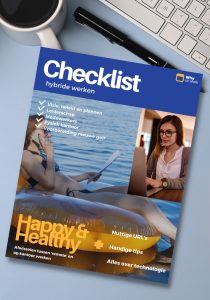
Hybrid working is ‘here to stay’, but finding the right format for your specific organisation is often still a work in progress. That’s why Why at Work and Driff have jointly developed a handy checklist for ‘happy & healthy’ hybrid working. It includes:
Checklists covering:
* vision, policy & planning
* leadership
* employees
* physical office
* preparation for a new Covid wave
Useful URLs & handy tips
Download hybrid working checklist!

