
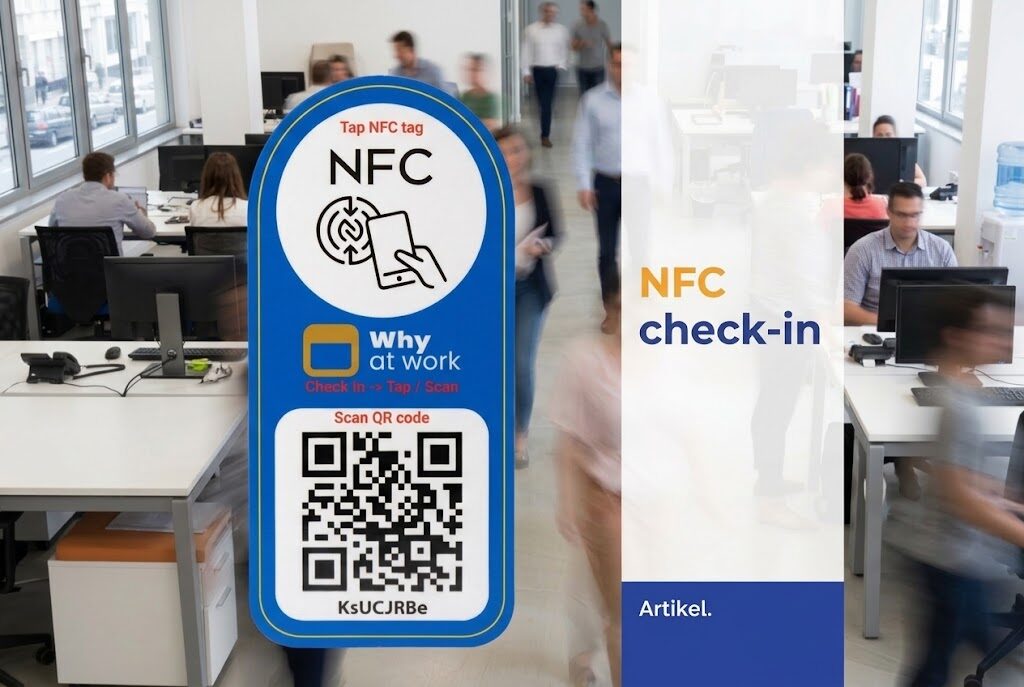
NFC desk check-in at the office: how does it work and why is it smarter than QR?
 Written by admin
You’ve reserved a workspace, you walk into the office, you put your bag down — and then you still need to check in. With a QR code that means: phone out of your pocket, open the camera, scan the code, wait for the page to load. Twenty seconds nobody consciously misses, but that still form a small barrier every single time.
NFC desk check-in does the same thing in one motion. Hold your phone near the sticker on your desk, and done. No camera, no scanning, no waiting.
Why at Work supports NFC desk check-in — and this article explains how it works, why it’s better, and what it means for your organisation.
What is NFC?
NFC stands for Near Field Communication. It’s the same technology you use to pay contactlessly at the supermarket: your phone or bank card communicates wirelessly with a terminal at very close range (a few centimetres). No connection needed, no app to open — just hold and done.
NFC chips are small, cheap and work without their own power source. An NFC sticker the size of a coin on your desk contains all the information the phone needs to process the check-in. The sticker itself does nothing active — it’s the phone that reads the signal and executes the action.
Virtually all modern smartphones support NFC. On iPhones it works without any extra settings. On Android too, as long as NFC is enabled (which is the default on most devices).
How does NFC desk check-in work in Why at Work?
The process is straightforward:
- On every workspace — or at the entrance to a room — there’s a small NFC sticker with a unique identification code for that spot.
- The employee briefly holds their phone against the sticker.
- The Why at Work app recognises the workspace, links it to the existing reservation and registers the presence automatically.
The whole process takes less than a second. A confirmation appears on screen, and the occupancy information in the admin portal is updated immediately.
If the employee hasn’t reserved a specific workspace that day but there is availability? Then the check-in can also serve as a direct reservation — the spot is assigned to that person at that moment.
What makes NFC better than QR codes?
QR codes work fine, but they require you to actively do something: open the camera, aim carefully, wait for processing. With NFC desk check-in the barrier is zero. That sounds like a small difference, but in practice you notice it in adoption rates: the less effort check-in takes, the higher the percentage of employees who actually do it.
Higher check-in adoption means more reliable occupancy data. And more reliable data means facility managers and office managers can genuinely steer on space usage — not based on reservations alone (which are sometimes inaccurate), but based on what’s actually happening.
A concrete comparison:
- Speed — NFC: <1 second. QR: 5–15 seconds depending on the phone and lighting conditions.
- Steps required — NFC: one motion. QR: open camera, aim, scan.
- Error sensitivity — NFC works in poor lighting or with worn stickers. QR needs good lighting and is sensitive to dirt or scratches.
- User experience — NFC feels like paying: intuitive and fast. QR feels like an extra step.
What do you need to use NFC desk check-in?
The barrier is surprisingly low. You need:
- NFC stickers — small, self-adhesive labels you attach to each workspace. They’re cheap (a few cents each) and last for years.
- Why at Work Professional or Enterprise — NFC desk check-in is available from the Professional plan onwards.
- NFC-enabled smartphones — virtually all modern iPhones (from 7 onwards) and Android devices support this as standard.
No extra hardware, no network cabling, no IT project. The stickers are linked to the correct workspace via the admin portal, after which everything works automatically.
What does it deliver for the organisation?
For employees the answer is simple: they don’t need to do anything extra. Check-in becomes as natural as hanging up your coat.
For facility managers and office managers, NFC desk check-in delivers something genuinely valuable: reliable, real-time presence data. Not just who reserved a spot, but who is actually sitting there. That makes it possible to:
- see which zones and floors are structurally under- or over-occupied;
- identify no-shows and adjust policy accordingly;
- optimise the office layout based on actual usage rather than assumptions;
- report on occupancy with confidence — relevant for sustainability reporting and real estate decisions.
For organisations working with BDO’s approach — the office as a meeting place, activity-based working, no fixed desks — this kind of data isn’t a luxury. It’s the foundation for smart decisions about space usage.
NFC desk check-in is live in Why at Work today
NFC desk check-in is not a roadmap item. It’s available today, for all customers on the Professional plan and above. No waiting list, no beta. Just enable it via the admin portal, order stickers and stick them on.
No other Dutch workspace reservation solution offers this at SMB level. Why at Work does, and it works.
Curious what NFC desk check-in looks like in practice, or want to know whether your current plan supports it? Get in touch or start a free trial.